How to Use Playbooks: Find the Strategies That Actually Work
Most traders lose money not because they have no strategy, but because they have five half-strategies and switch between them by feel. A playbook fixes that. It is one strategy, wr
Most traders lose money not because they have no strategy, but because they have five half-strategies and switch between them by feel. A playbook fixes that. It is one strategy, written down, with its own name. You attach it to every trade you take with that strategy, and the journal tells you how that strategy really performs.
Why use playbooks
The goal is simple: find out which of your strategies actually make money, then trade more of those and stop trading the rest.
Without playbooks, all your trades sit in one pile. A win rate of 48% tells you nothing about what to change. With playbooks, the same pile splits into strategies, and you might see this:
- "Trend pullback": 40 trades, 58% win rate, +0.6R on average.
- "Breakout": 35 trades, 37% win rate, -0.4R on average.
Now you know what to do: keep the pullbacks, fix or drop the breakouts. That is the whole point of a playbook.
Playbooks also help before the trade. When the rules are written down, every entry becomes a yes/no question: does this setup match my playbook? If it doesn't, you don't take it.
Advice before you start
These habits decide whether playbooks give you useful numbers or noise:
- Start with one or two playbooks. Write down the strategies you already trade most. You can add more later. Ten playbooks with three trades each tell you nothing.
- Write rules someone else could follow. "Buy when it looks strong" is not a rule. "Buy the first 15m candle that closes back above the 20 EMA in an uptrend" is. If a rule can't be checked, it can't be tested.
- Pick the playbook before you enter, not after. Labelling a trade after you see the result is how a losing trade quietly becomes "not really my setup". In the Trading Simulator you can choose the playbook on the order panel before you place the order.
- Label every trade. A trade without a playbook is a blind spot. If a trade doesn't fit any playbook, that itself is worth knowing. Tag it (for example "No setup") so you can see what those trades cost you.
- Keep the risk the same on every trade. Win rate and R only compare fairly when each trade risks a similar amount.
- Wait for enough trades. Don't judge a playbook after 5 trades. Aim for at least 20 to 30 before deciding it works or doesn't. The Trading Simulator is the fastest way to get there without risking money.
- Don't rewrite the rules in the middle of a test. If you want to change a strategy, create a new playbook ("Trend pullback v2") instead of editing the old one. Then you can compare the two versions side by side.
- Set an expected win rate and R. It gives you a target. If the real numbers stay well below what you expected after enough trades, the strategy (or how you trade it) needs work.
Step 1. Create a playbook
Open the Journal, go to Playbook in the sidebar and click New.
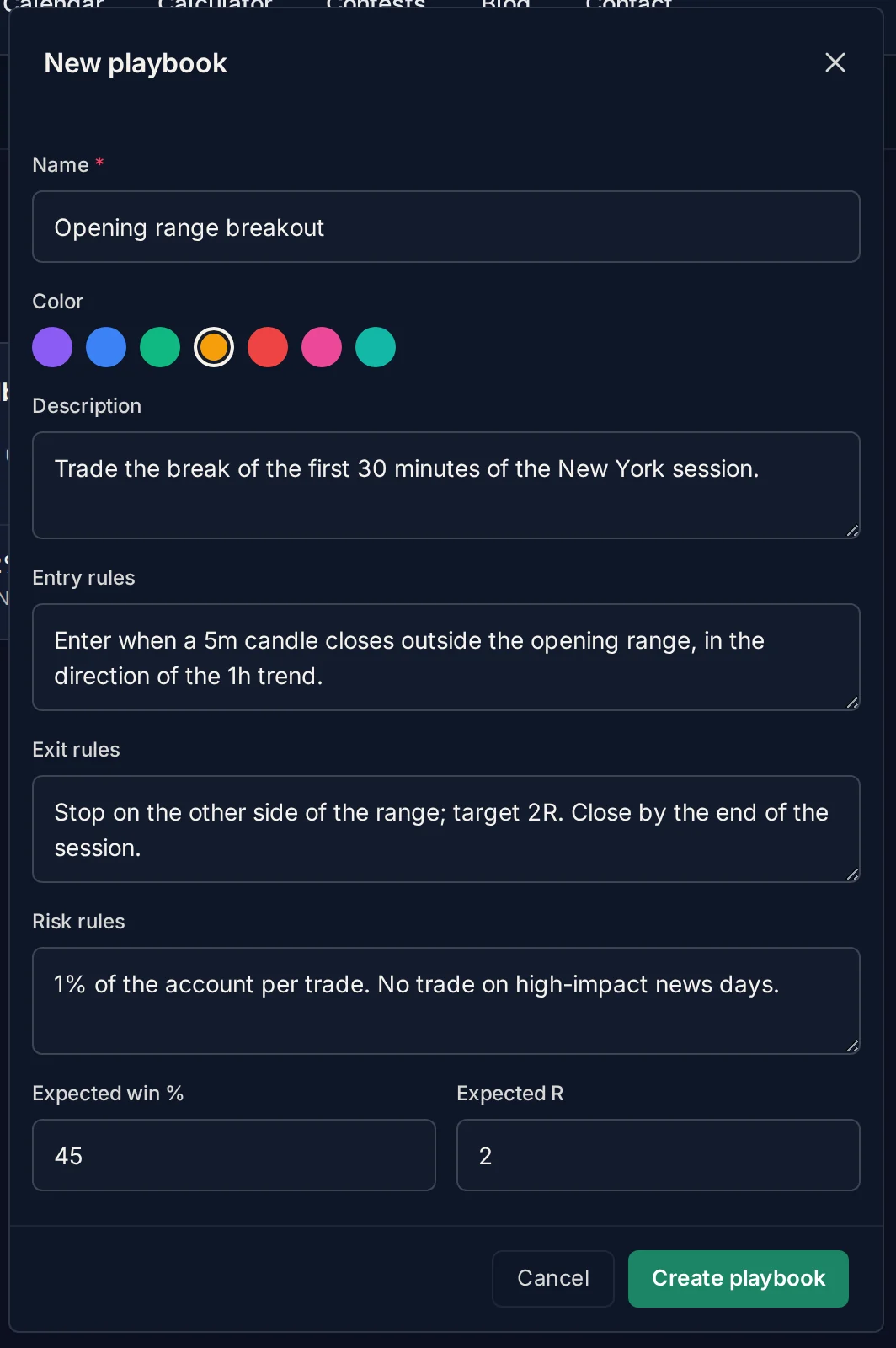
Fill in:
- Name (required): a short name you'll recognise, like "Trend pullback" or "London breakout".
- Color: the playbook shows up as a colored chip on your trades, so pick one you can spot at a glance.
- Description: the idea of the strategy in one sentence.
- Entry rules: exactly what has to happen before you enter.
- Exit rules: where the stop and target go, and when you close early.
- Risk rules: how much you risk per trade, and when you stop for the day.
- Expected win % and Expected R: what you think the strategy should deliver.
Click Create playbook.
Step 2. Attach the playbook to your trades
There are three places to do it.
While you trade (best). In the Trading Simulator's order panel, click + Setup before placing the order. Pick the playbook, add tags or a note, and click Save. The setup stays with the order and the position, and goes into the journal when the trade closes. You can also click Edit on an open position, a pending order or a closed trade in the panel to change it.
In the journal. Open any trade, click Add next to Notes & tags, choose the Playbook, and click Save.
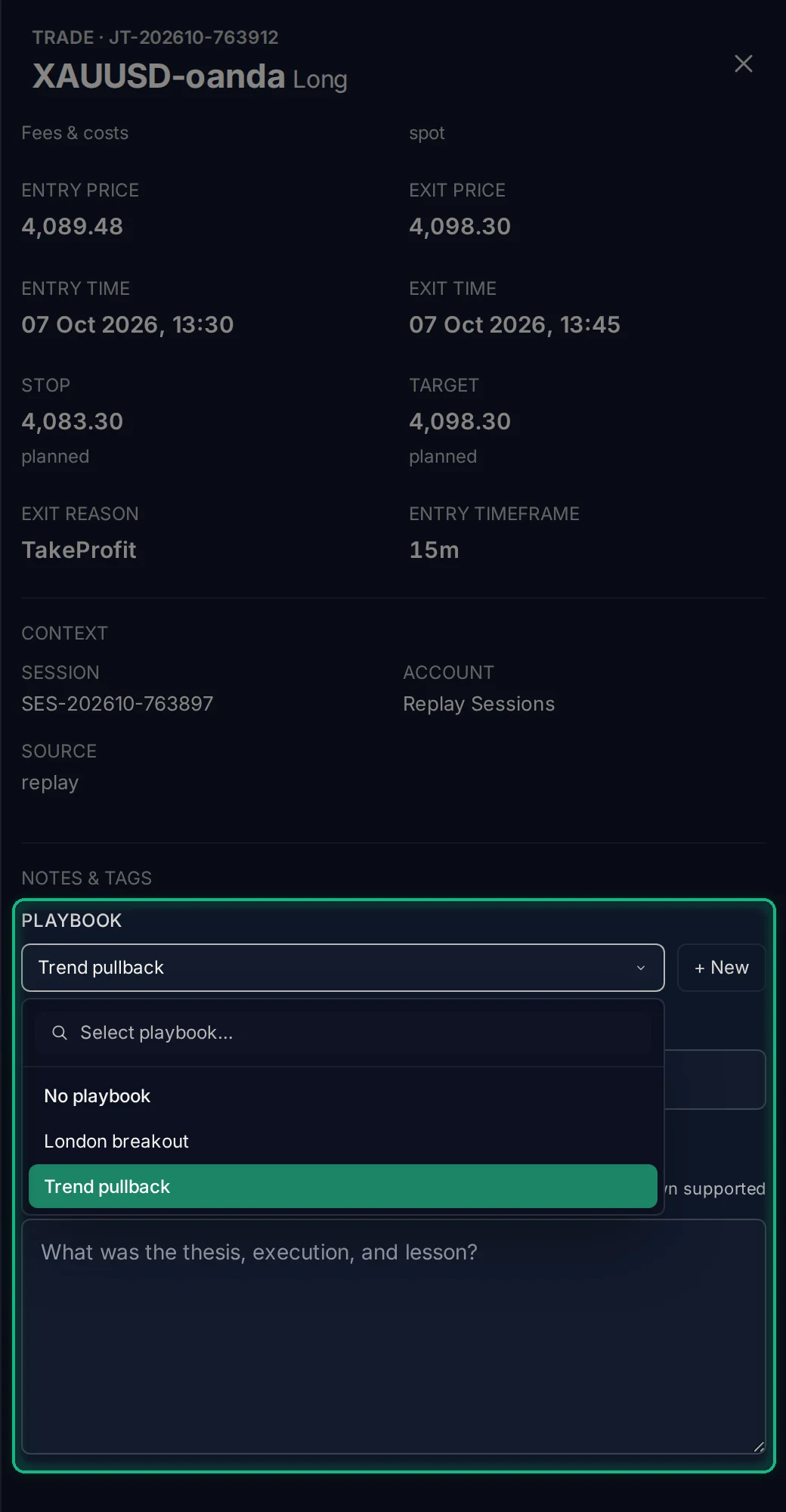
On the spot. No playbook yet for this trade? Click + New next to the playbook picker. The form is the same as in Step 1, and the new playbook is created when you save the trade.
Step 3. Read the results
Go back to Playbook. Each card shows how that strategy has done: number of Trades, Win rate, Net P&L and average R.
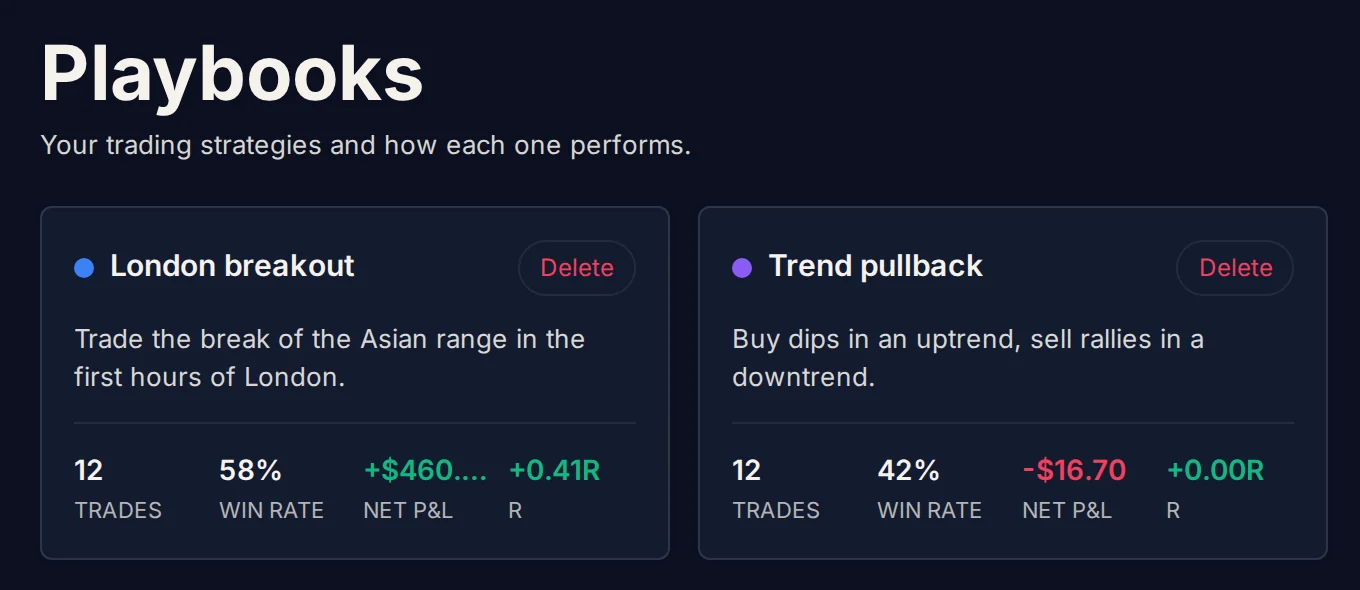
In this example both strategies have 12 trades, but only one of them makes money: "London breakout" wins 58% of the time and is up, while "Trend pullback" wins 42% and is slightly down. That is exactly the kind of answer playbooks are for.
The numbers follow the account you selected in the journal sidebar, so you can compare the same playbook on replay practice and on live sessions.
To dig deeper:
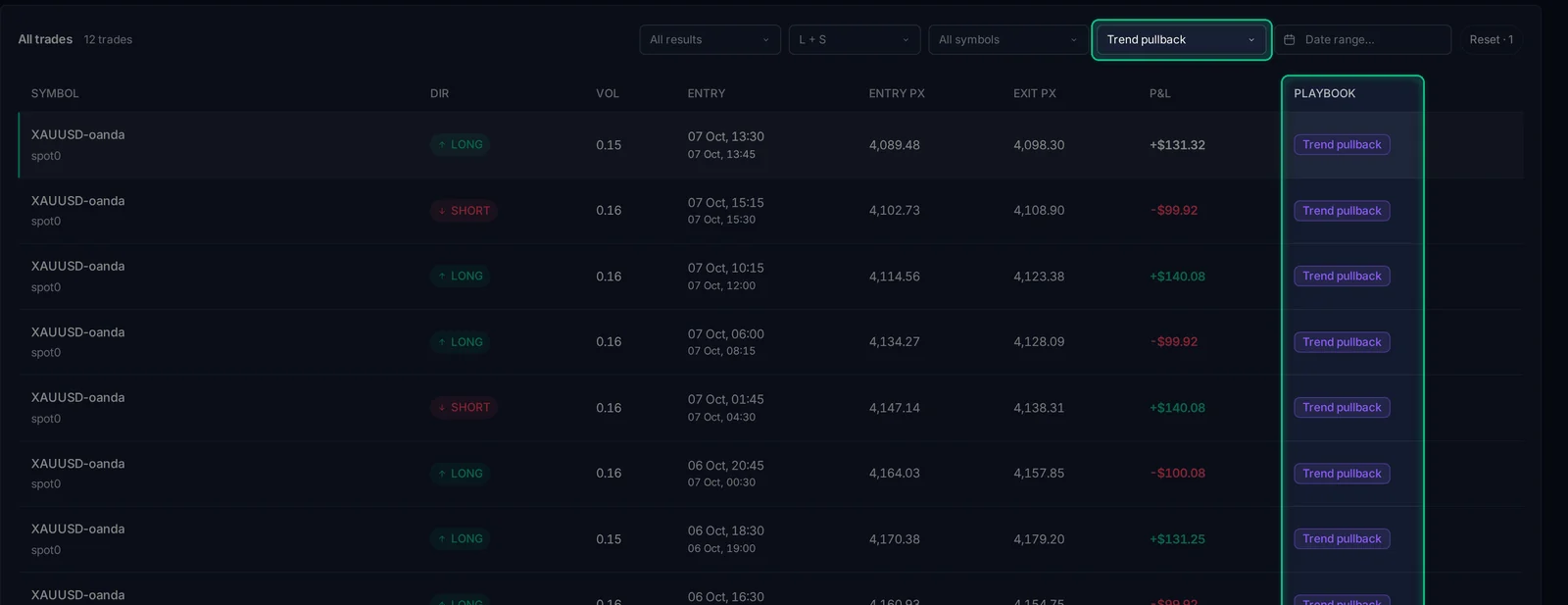
- Trade Log: use the All playbooks filter to see only the trades of one strategy, then open them one by one to look for patterns.
- Sessions: filter sessions by playbook.
- Session Breakdowns: inside a session, By playbook compares your strategies within that session.
Step 4. Keep your playbooks up to date
- Edit: click a playbook card to change its rules or color.
- Delete: click Delete on the card. If trades already use the playbook, it is archived instead of removed, so your past stats stay correct.
A simple weekly routine
- Open Playbook and compare each card with the win rate and R you expected.
- For the weakest playbook, filter the Trade Log by it and reread the losing trades and your notes.
- Decide one thing: keep it, change it (as a new version), or stop trading it.
- Practice the change in the Trading Simulator until you have 20 to 30 new trades, then check again.
Want the full picture of the journal? Read How to Use the Trading Journal. New to replay practice? Start with How to Use the Trading Simulator.
No comments yet. Login to start a new discussion Start a new discussion